Merchant default
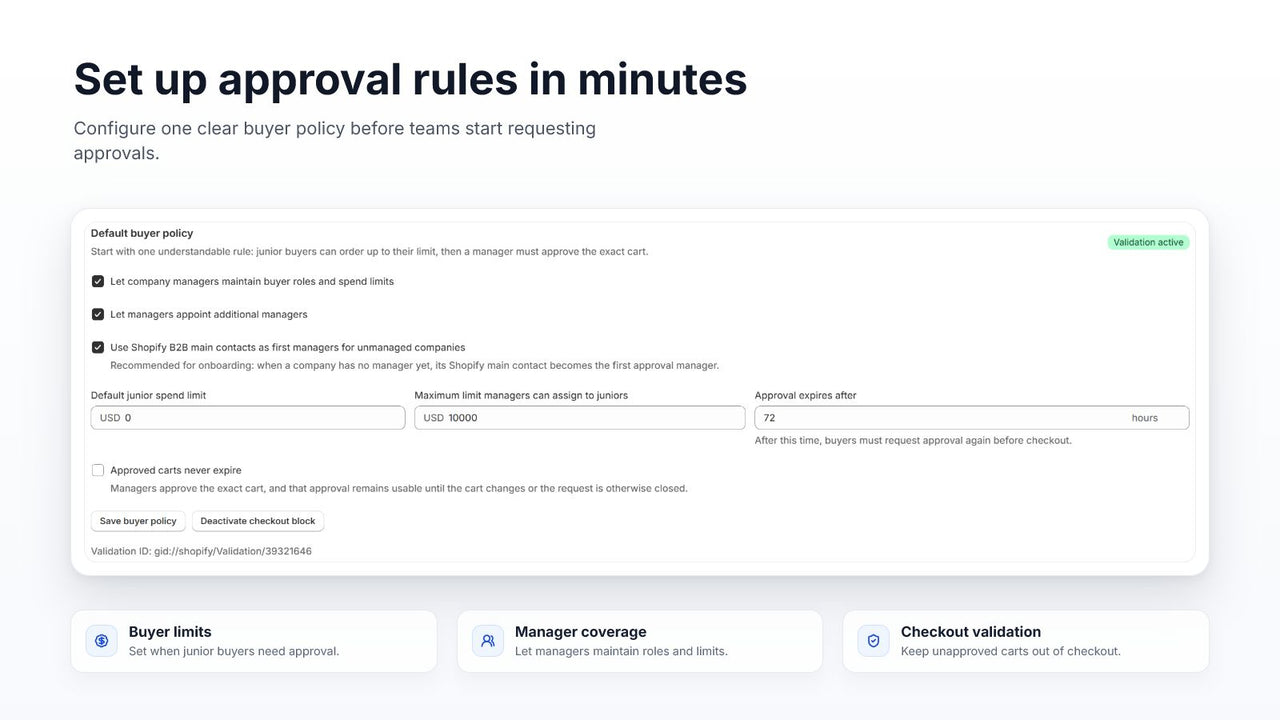
Set the baseline threshold for buyers who do not have a more specific policy.
 ApproveCart B2B
 Shopify B2B spend limits
Use a merchant default, a company policy, or an individual buyer override to determine when a Shopify B2B cart needs internal approval.
Policy hierarchy
ApproveCart checks the most specific available setting first. This lets you create a sensible default without losing the ability to handle an exceptional company or buyer.
Three policy levels
Each level can provide a custom amount, specify no threshold, or inherit from the next broader setting where applicable.
Set the baseline threshold for buyers who do not have a more specific policy.
Give all applicable buyers in a B2B company a company-specific threshold.
Replace the inherited value for one buyer whose authority differs from the company norm.
Boundary behavior
If the effective limit is $1,500, a cart subtotal of $1,500 does not trigger the spend threshold. A subtotal of $1,500.01 does.
Examples
Beyond subtotal
Some purchases need approval regardless of value. Growth can trigger approval for particular products, collections, companies, locations, customer roles or tags, total values, and line quantities.
Spend limit FAQ
Approval is required when the cart subtotal is greater than the effective limit. A subtotal exactly equal to the limit does not trigger the threshold.
An individual buyer override has priority, followed by the company policy, then the merchant default.
It means the subtotal threshold does not require approval. A separate approval rule can still require approval for the same cart.
Yes. An individual buyer override can replace the effective company or merchant setting for that buyer.
ApproveCart does not perform an explicit exchange-rate conversion when comparing the checkout subtotal with the configured amount. Test your policy carefully if your store sells B2B in multiple currencies.
Start with a 10-day free trial
Install ApproveCart B2B, set the default and company policies, then test each buyer exception with a representative cart.